What an iPhone can still do after Apple ends software support
An iPhone that is not on Apple’s list for the latest iOS keeps running the system version already installed on it. On September 29, 2026, Apple’s own pages named iOS 27.0.1 as the current release and limited that release to iPhone 11 and later. Models left off that list, such as iPhone XR, do not receive that system. What stops is the stream of new system software and the security fixes that travel with those releases. The phone is not described as refusing to turn on.
What still works, and what stops on the last iOS
- Still works: The installed copy of iOS remains on the device. Apple’s update instructions still send you to Settings → General → Software Update to read the version that is already there. The transfer-photos page assumes you can still connect that phone by USB and import the pictures sitting on it.
- Stops working: iOS 27.0.1 and the matching security release dated 28 Sep 2026 are listed for iPhone 11 and later only. An iPhone XR is not on Apple’s “models compatible with iOS 27” list, so that phone does not get that system update or the security fixes published for it.
- Needs subscription: Not applicable for the system update itself. iCloud Photos storage can use paid iCloud space if the library is larger than free storage; that is account storage, not the price of an iOS release.
- Needs previous owner removed: Before you sell or give the phone away, Apple’s sell-or-trade guide says to sign out of the Apple Account on the device, erase all content and settings, and remove the device from your trusted-device list so the next person is not tied to your account.
- Can work offline: Photos already stored on the iPhone can be imported to a Mac or PC over USB without waiting for a new iOS. Features that depend on a newer system than the phone can install do not arrive offline either.
- Last checked: September 29, 2026 — Apple security releases; Update your iPhone or iPad; iPhone models compatible with iOS 27; Transfer photos from your iPhone or iPad; What to do before you sell, give away, or trade in your iPhone or iPad.
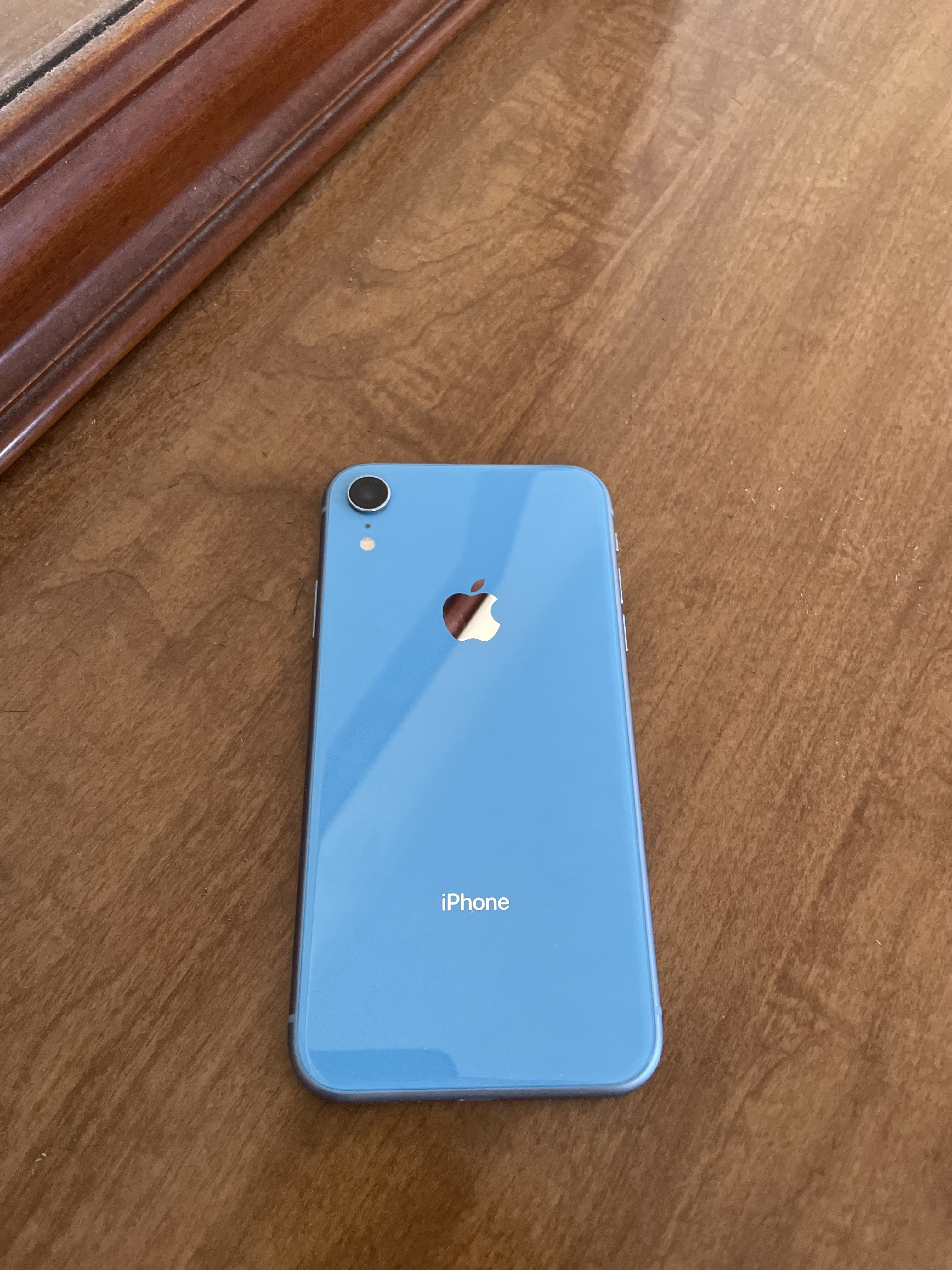
What lives on the phone versus what lives in the Apple account
The hardware holds a specific build of iOS and whatever you saved into its storage. Apple’s update page shows that build under Software Update. Photos and videos that sit in the Photos app on the device are what the USB import flow copies to a computer. If you use iCloud Photos, Apple says the originals stay in iCloud and stay available on your other Apple devices and on iCloud.com; that library is account storage, not a second copy of the system software.
The Apple Account is where iCloud sync, App Store purchases, and device trust live. Apple’s sell-or-trade page is clear that erasing the phone removes apps, photos, and settings from that handset, and that iCloud content is not deleted from iCloud by the erase alone. Signing out and removing the device from your trusted list are account steps. They are separate from whether Apple still ships a system update for that model.
Calls you place on a cellular plan, the Camera app that is already on the last iOS, and the photo files already on the phone belong to the device side of that split. Banking apps and other account apps that keep talking to servers sit closer to the security side: Apple’s security releases page says keeping software up to date is one of the most important things you can do for product security. A phone that is off the latest release list is not receiving those latest fixes.
What changes when system updates stop arriving

This is the end of a software-support track, not a cancelled subscription. On dayanother.com, What a Peloton can still do after the membership ends covers classes that stop because a membership fee stops. An iPhone’s case is different: Apple stops listing the model for new system releases, so new security updates written for those releases do not install on it. The pedals comparison still helps once. Peloton’s classes leave when the membership ends. An iPhone that has left the latest-iOS list still opens the system it already has; what no longer arrives are the new system builds Apple publishes for later models.
On September 29, 2026, Apple’s security releases page listed iOS 27.0.1 as available for iPhone 11 and later, with a release date of 28 Sep 2026. The same document states that the latest version of iOS is 27.0.1 and points to the update instructions. The iPhone User Guide page titled “iPhone models compatible with iOS 27” begins at iPhone 11 and includes later models through iPhone 18 Pro Max. It does not list iPhone XR, iPhone XS, or iPhone XS Max. Apple does not print a calendar end date for those older models on the pages opened for this article, so this page does not invent one. The sourced fact is the list itself: if your model is absent from the latest compatible-models list and from the “Available for” line of the current security release, that release is not for your phone.
Ending updates is not the same as the phone refusing to power on. Apple’s update article tells you how to check the installed version; it does not say an older phone shuts down when a newer iOS ships for other models. The transfer-photos article still describes plugging the phone into a Mac or PC and importing. What has stopped, for a model left off the latest release, is the delivery of that new system and the security content published with it. Treat that phone as unpatched relative to the current release, not as equally protected.
What to check on Apple’s pages and on the phone
Open Apple’s security releases page at https://support.apple.com/en-us/100100. This article’s check was September 29, 2026. Read the line that names the latest iOS version and the “Available for” line on the newest iOS entry. Then open iPhone models compatible with iOS 27 and see whether your model is named.
On the iPhone, open Settings, tap General, then tap Software Update. Apple’s update page says that screen shows the currently installed version of iOS and whether an update is available. If your model is not on the latest list, that screen is still the place that reports what you already have. Compare that version with the latest version named on the security page. The gap is the support gap you are living with.
What to do before apps and services outgrow the last system
Copy photos while the phone still unlocks and connects. Apple’s transfer page describes two paths that were open on September 29, 2026. With iCloud Photos, originals upload to iCloud and appear on your other Apple devices and on iCloud.com; that uses your iCloud storage. Without relying only on iCloud, connect the iPhone to a Mac with a USB cable, open the Photos app on the Mac, and import selected photos or all new items into an album on that Mac. On a Windows PC, Apple points you to the Apple Devices app and then to Microsoft’s Photos import steps; if iCloud Photos is on, Apple says to download full-resolution originals to the iPhone before that PC import.

If you plan to sell or hand the phone to someone else, follow Apple’s sell-or-trade order at a high level: back up first, transfer what you need, sign out of the Apple Account, then use Erase All Content and Settings, and remove the device from your list of trusted devices. That sequence is about removing your account from a phone you no longer own. It is not a bypass for Activation Lock on a phone that is still linked to someone else’s account, and this article does not describe any bypass.
One fact that belongs to the current list
Apple’s iPhone User Guide page for iOS 27 names the compatible models starting at iPhone 11, including iPhone 11, 11 Pro, and 11 Pro Max, both second- and third-generation iPhone SE models, the iPhone 12 through 18 Pro Max lines listed on that page, iPhone 16e, iPhone 17e, and iPhone Air. iPhone XR is not on that page. Separately, the security releases document dated the iOS 27.0.1 release to 28 Sep 2026 and limited it to iPhone 11 and later. No end-of-support calendar date for iPhone XR appears on those pages, so none is stated here.
The mistake that makes this worse
The harmful mistake is treating a phone that no longer receives the current system security releases as if it were still patched like a phone on Apple’s latest list. Apple’s own security page ties product security to keeping software up to date. Missing from the “Available for” line means those fixes are not for that handset. The other half of the mistake is erasing the phone before photos that still live on it are copied. Apple’s erase guidance says Erase All Content and Settings removes photos from the device. Import them first if they are only on that phone. Then erase if you are giving the hardware away.
Read next: What a Peloton can still do after the membership ends. What a Chromebook can still open after ChromeOS updates stop. What an Android phone can still do after security updates stop.